Cases in Radiology
Additional instructions for Cases in Radiology including case number titles, collapsing the diagnosis online, and the appropriate division levels for history and diagnosis pages.
The Cases in Radiology series contains cases split into a page for the case history and a page for the diagnosis overleaf. The intention is for the reader to guess the diagnosis based on the case history before turning the page. To support this functionality in XML, particularly for the online product:
- Capture the case number from the history page as the chapter title. Capture the
following page title (such as
Case 50 Acute Myocardial Infarction
) as a div2 division within aDiagnosis
div1 division. - In the online product, to display the diagnosis initially collapsed (folded)
create a title,
Diagnosis
for the second page inside a div1 and add the attribute role="A". Prevent theDiagnosis
title appearing in the printed product by adding attribute display="online" to the p element containing the title text. - Capture the
History
section in a div2 division inside a dummy div1 division. - Capture all other headings (
Findings
, etc) in div2 divisions inside theDiagnosis
div1 division.
Example where the title "Acute Myocardial..." is shown on the next page
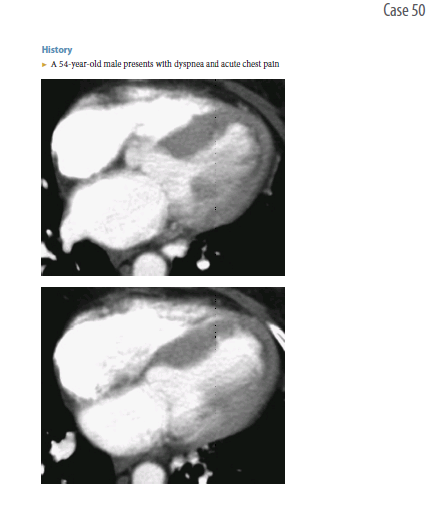
Case History (first page of case)
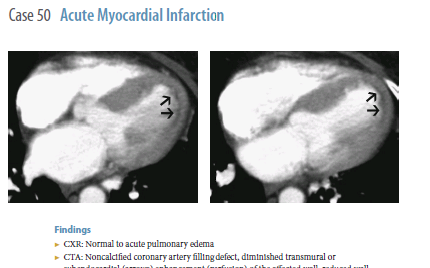
Diagnosis (next page)
XML
      <chapter role="case" id="med-9780199566990-chapter-50" doi="10.1093/med/9780199566990.003.0050">
        <titleGroup><title>
 <p>
                         <enumerator>Case 50</enumerator>
                     </p></title>
        </titleGroup>
        <textMatter><div1 role="prelim">
 <div2>
   <titleGroup>
     <title>
       <p>History</p>
     </title>
   </titleGroup>
   <!-- text and images on same page as history -->
 </div2></div1><div1 role="A">
 <titleGroup>
   <title>
     <p display="online"> Diagnosis</p>
   </title>
 </titleGroup>
 <div2>
   <titleGroup>
     <title>
       <p>Case 50: Acute Myocardial Infarction</p>
     </title>
   </titleGroup>
   <!-- images on the next page but before the start of the next div with a title if applicable-->
 </div2>
 <div2>
   <titleGroup>
     <title>
       <p>Findings</p>
     </title>
   </titleGroup>
   <!-- more text -->
 </div2>
 <!-- other existing headings and their text all contained within <div2> --></div1>
        </textMatter>
      </chapter>